

1. How Waystone Fast Travel Unlocks in Wicked Island
Wicked Island supports instant fast travel across the open world using Waystones—tall stone monuments scattered near key roads, towns, and exploration hubs. Discovering a single Waystone is not enough on its own: you must physically walk up to at least two different Waystones until each monument's top rune symbol lights up white and registers a Waystone marker onto your World Map (M).
Once two or more Waystones are registered, standing beside any activated Waystone lets you warp between unlocked Waystone pins without paying gold or consumables.
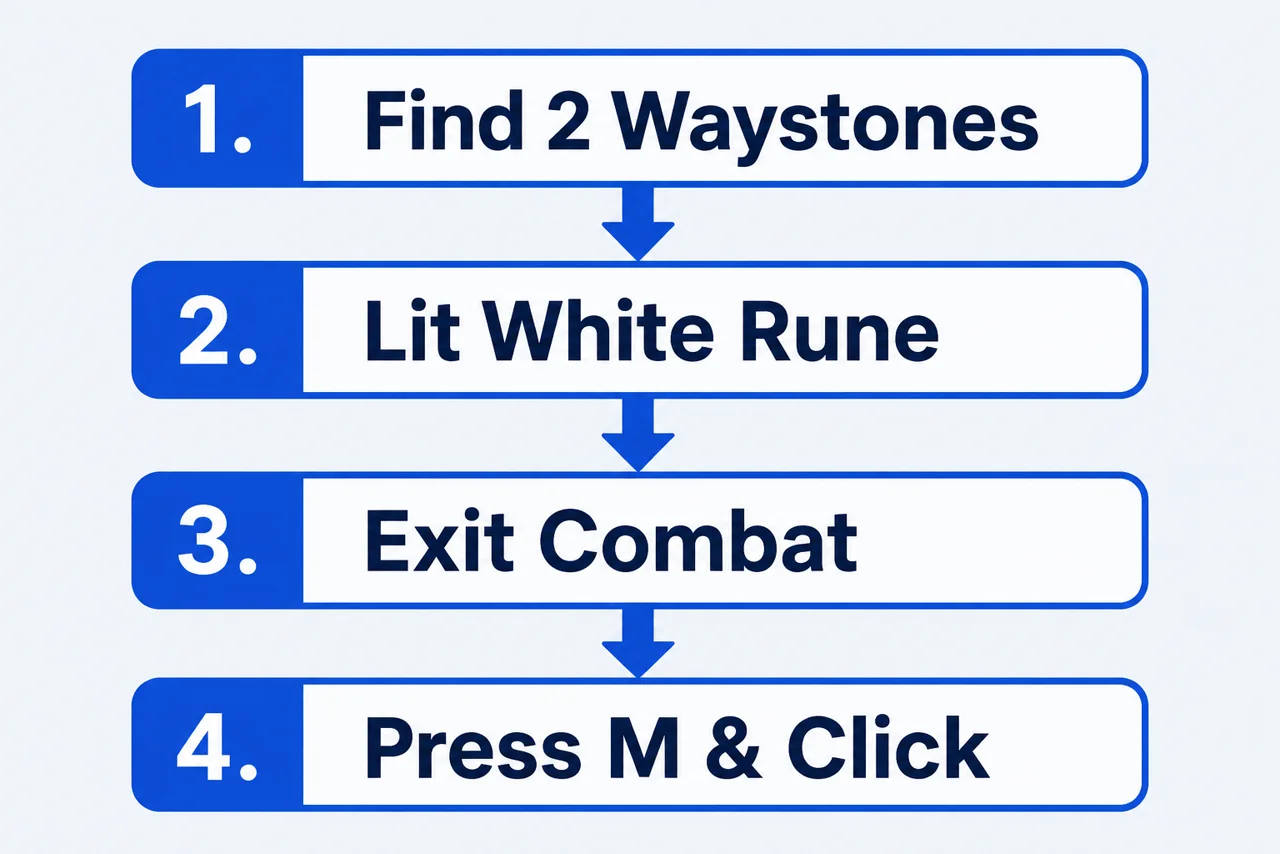
2. Step-by-Step Waystone Teleportation Checklist
- Discover At Least Two Waystones: Walk directly up to each Waystone monument so its top symbol glows white and pins a Waystone marker onto your World Map (
M). - Stand Close to an Activated Waystone: Fast travel cannot be initiated from the open wilderness; position your survivor right beside a lit Waystone.
- Break Combat & Enemy Aggro: Make sure you are not currently in battle or being chased by wolves, boars, or bandits.
- Open World Map (
M) & Left-Click Target: Locate the destination Waystone marker on your map and left-click it. - Close the Map to Warp: Exit the map screen—your character teleports immediately to the selected Waystone. (Note: In Version 1.0, never toggle the map while the UI is hidden via
Numpad 0; 1.0 also fixed that former soft-lock.)
3. Why Fast Travel Fails & 1.0 Map Marker Changes
If clicking a Waystone icon on the World Map closes the map without moving your character, check the table below alongside Version 1.0's updated map rules:
| Issue / Map Behavior | Cause | Fix |
|---|---|---|
| Clicked Waystone, nothing happens | Standing too far from the departure Waystone, or only 1 Waystone discovered | Step closer until the top rune glows white and unlock at least 2 Waystones |
| Teleport blocked outside towns | Enemy aggro or active combat state | Defeat chasing wildlife or sprint clear until battle status ends |
| Crafting benches missing from map | Version 1.0 updated the map image and stripped bench clutter | Only your Player Bed and nearby named NPCs appear on the 1.0 map |
| Stuck in terrain after dismount | Collision edge case (1.0 fixed Dragon dismount under-map drops) | Use Numpad - (Unstuck) or rebind it in Settings on TKL keyboards |
4. Combining Waystones with Mounts, Portals & Coordinates
Waystones anchor regional travel, while three complementary systems handle destinations without nearby monuments:
- Saddled Horse & Flying Dragon Servant: Use a ground horse early or complete the Mountain Dragon Shrine questline to fly straight over mountains, rivers, and caves (
Left ALTtoggles Dragon flight). - Magic Portals (Mysterious Tower, Purple & Red Portals): Fixed regional portals connect straight to Mysterious Tower (Rune Blade) and Queen's / Consort's Armor bosses, while Stonehelm / Mage Island doors open into Paradoxum.
- 1.0 Bed Placement Strategy: Because your Player Bed is the only base marker shown on the 1.0 map, place your main base near a discovered Waystone or central hub like Graycott or Whistling Cave so Waystone jumps always land near your bed.
Sandbox / Dev Menu Coordinate Navigation (Numpad /) (Click to Expand)
Players testing routes or recovering from bugs can open the built-in Dev / Cheat Menu (Numpad /, or rebound key on TKL/Steam Deck) to read live coordinates—useful when hunting randomized Creature Card locations.
Sources
Updated 1.0 World Map imagery, bed-only base markers, nearby-only named NPC pins, and the fix for toggling the map while GUI is hidden trace directly to RawDarkness's 1.0 Steam patch notes. Waystone activation rules (two Waystones, lit white top symbol, out-of-combat left-click teleport) reflect community wiki mechanics documentation.
Player Notes & Discussion (0)